|
I currently have about seven years of code writing experience. My programs have evolved from simple input-ouput programs to large software applications complete with instruction manuals and user agreements. Contained on this page is an overview of some of my programs.
To read about any of these programs, simply scroll down on this page, or click a link below:
Number Trick
This is one of my first software programs. I wrote it in the LOGO language when I was 10 years old. This language involves both drag-and-drop and text based programming methods.
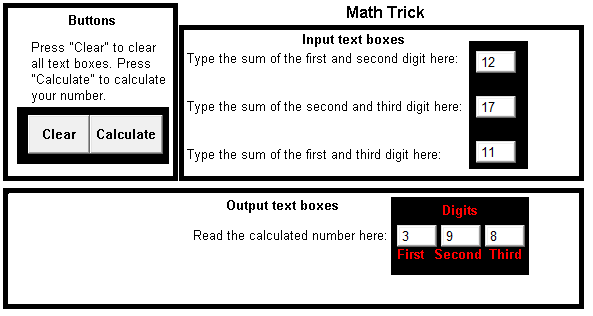
The purpose of this interactive program is to execute a simple number trick. Someone thinks of a three digit number (abc). He or she then enters three values based upon this number: The sum of the 1st and 2nd digit (a + b); the sum of the 2nd and 3rd digit (b + c); and the sum of the 1st and 3rd digit (a + c).
After clicking the "Calculate" button, the program will then calculate and display the three digit number that the person was thinking of. If the three sums entered do not correspond to a valid three digit number, the program will notify the user.
For example, suppose the number thought of was 398. The user would enter the three sums:
3 + 9 = 12, 9 + 8 = 17, and 3 + 8 = 11. After the user presses "Calculate", the digits 3 9 8 will appear in the ouput section of the program.
|
Pi Tutor
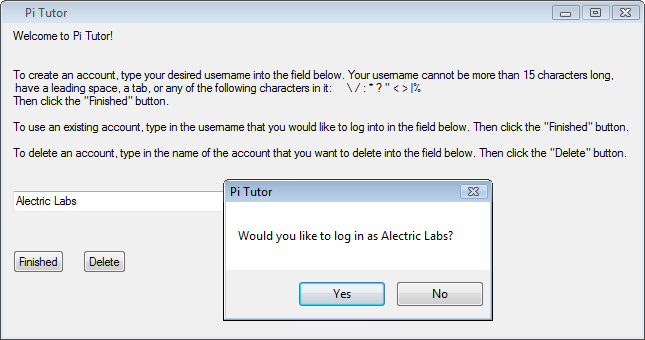
I created the Pi Tutor when I was 12 years old. This program is designed to teach the user up to 5000 digits of the mathematical constant Pi. The program opens with a login screen allowing someone to create his or her own account and log into the account. Below is a picture of an account with the name "Alectric Labs" being logged into:
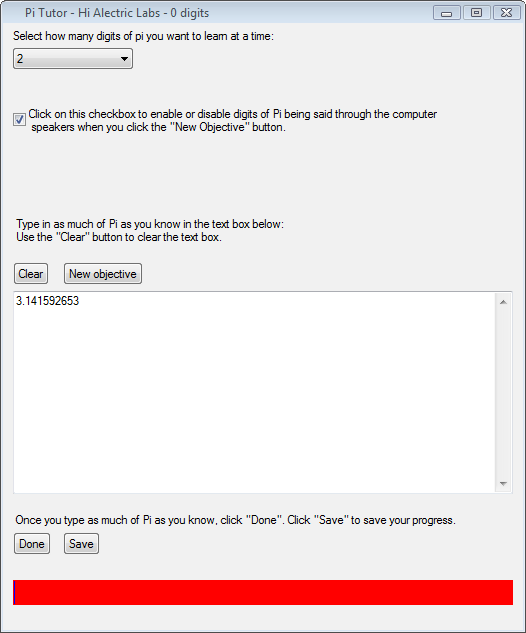
After logging in, the user must enter into the large text box as many digits of Pi (starting from the beginning) as he or she knows. The user presses the "Done" button to receive a new objective. He or she can choose to learn 1, 2, 3, 4, or 5 digits of Pi at a time. By placing a check in the checkbox on the window (shown below), a feature that plays audio recordings of the digits of Pi up to the user's progress can be enabled. The user can also save his or her progress by clicking the "Save" button.
|
Roman and Arabic Numeral Converter
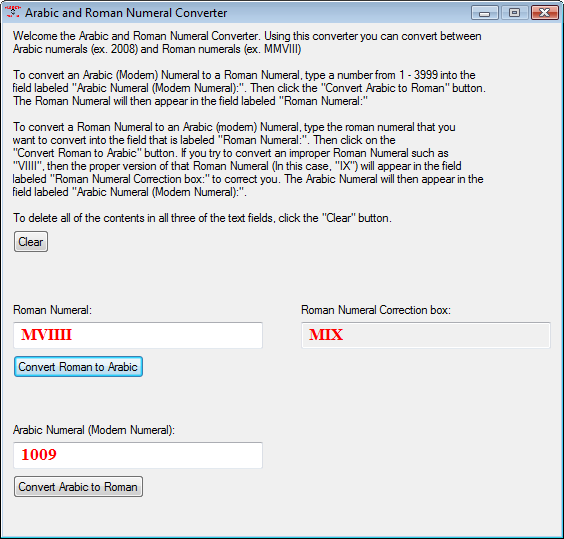
I produced this program when I was 13 years old. The Roman and Arabic Numeral Converter is able to convert between Roman numerals and Arabic numerals (modern day numerals) between 1 (I) and 3999 (MMMCMXCIX). More interestingly, however, this software has a feature that corrects invalid Roman Numerals. For example, if someone were to convert MVIIII to an Arabic numeral (see picture on the right), the program would output 1009 but also correct the Roman Numeral with MIX (the actual Roman numeral for 1009). The picture on the left is an example of an Arabic numeral (3158) being converted to a Roman numeral (MMMCLVIII).
|
Encrypter
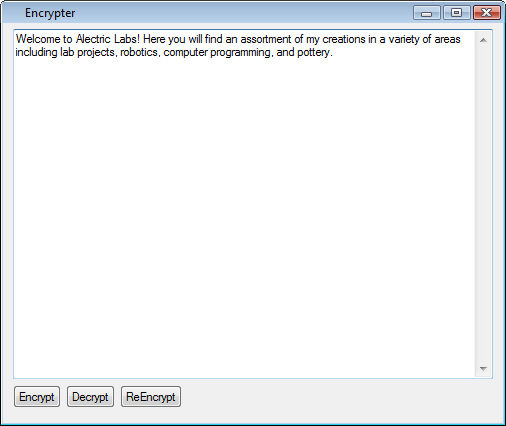
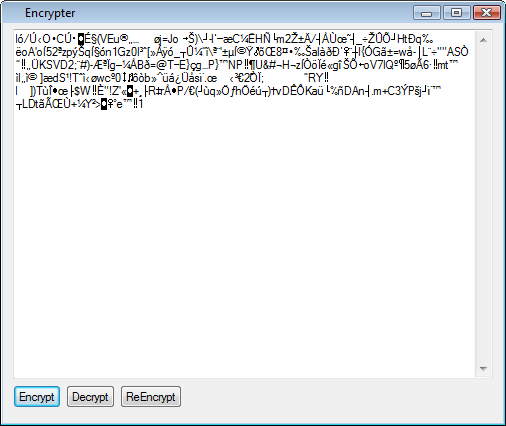
When I was 13 years old, I programmed an encrypter. The program has a text box that contains a message to be encrpypted or decrypted. There are three buttons, "Encrypt" to encrypt a message, "Decrypt" to decrypt an encrypted message, and "ReEncrypt" to decrypt a message and then re-encrypt it. The purpose of re-encrypting a message is to produce a new encryption for the exact same message. One feature of this proprietary encrpyter is that there are at least trillions of possible encryptions for one message that is a minimum of 5 characters long, and all of the encryptions will decrypt back to the single original message. The exact encryption produced by encrypting a message is based upon pseudo-randomly generated numbers. On the left is a picture of a message from the homepage of this website. The picture on the right contains one of its possible encryptions.
|
AutoTyper
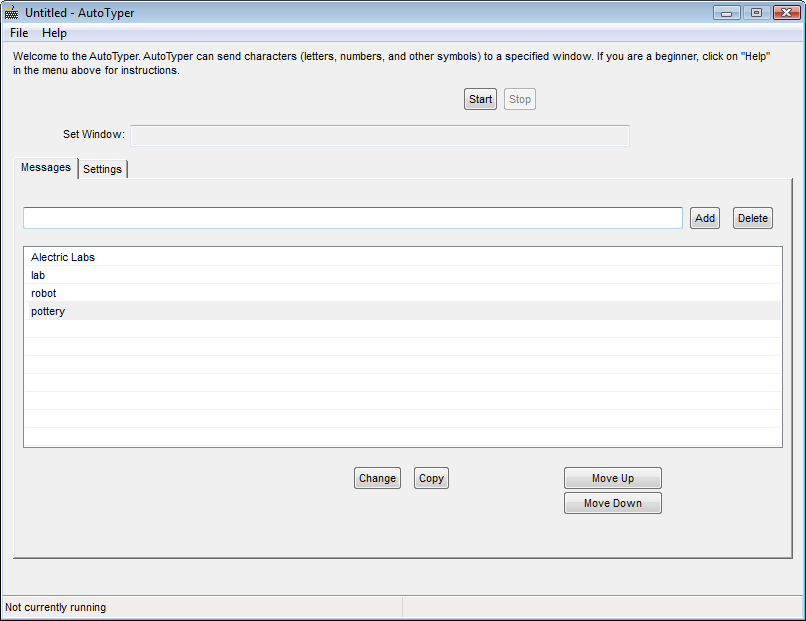
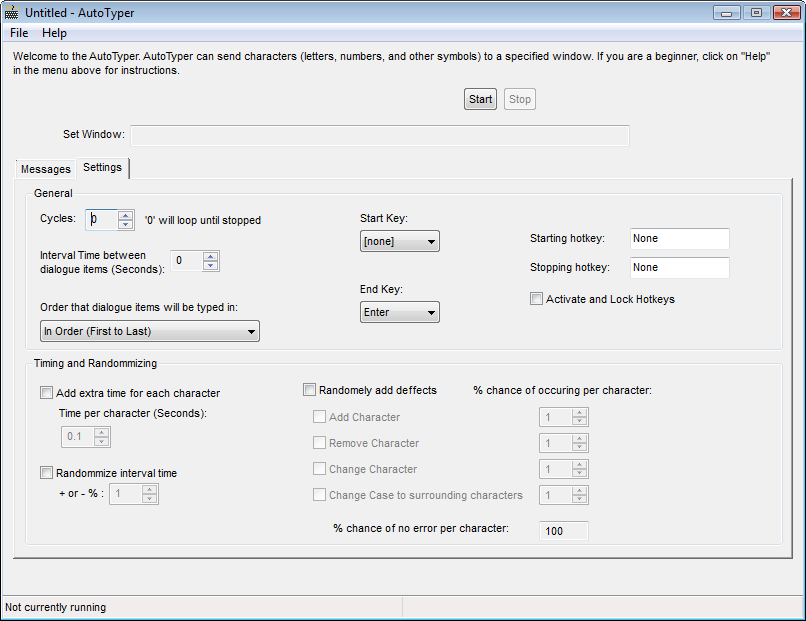
I coded the AutoTyper when I was 14 years old. This program is designed take the place of a computer keyboard by automatically sending key strokes to almost any other computer application, game, or program. The program allows a user to enter in a list of messages. The program can then be started and will send the messages to a specified active window automatically.
Settings are available such as the order in which messages will be sent, the time interval between messages, and defects being added to messages. Defects are small errors that can be optionally set to randomly occur in sent messages for the purpose of disguising the AutoTyper as a human.
This program is now complete with an instruction manual!
|
Color Mixer
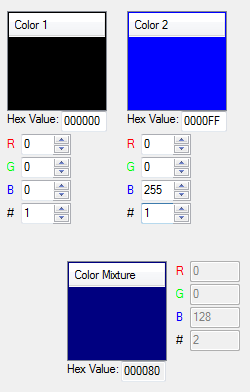
I wrote the code for the Color Mixer when I was 14 years old. This program is intended to mix 1 to 5 colors on the computer to produce a resultant color. Color on a computer is specified using a 6 digit RGB (Red Green Blue) hexadecimal code. The first two digits of the number specify the amount of red in the color, the second two digits specify the amount of green, and the third two digits specify the amount of blue. Every pair of digits ranges from 00 to FF (0 to 255 in the decimal system).
Every color entered into the mixer can be specified using either this hexadecimal code or individual Red, Green, and Blue values in base 10 ranging from 0 to 255. The number of units of each color can also be specified. By using the numerical representations of the colors, the program calculates the code for the color produced when the inputted colors are mixed. The program then displays the mixed color.
|
Triangulator
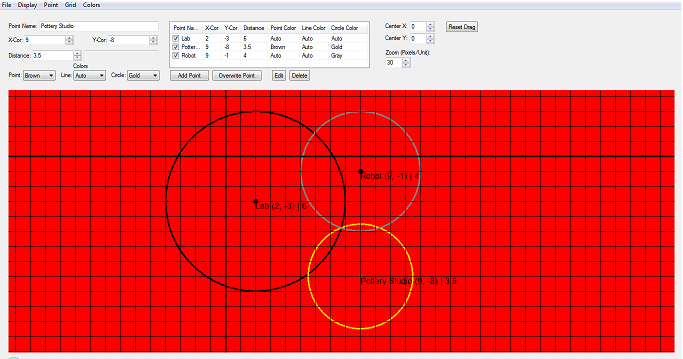
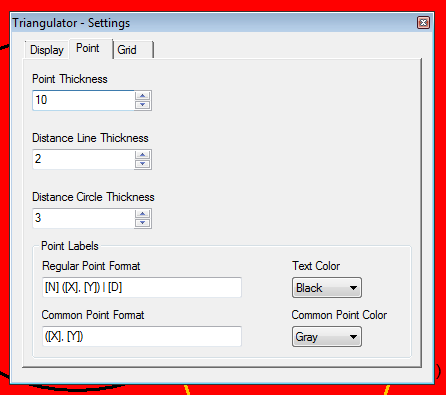
I am currently working on an application called the "Triangulator". This program takes in the x and y coordinates of three points and each point's distance from a fourth point. Using this information, the program finds the (x, y) location of the fourth point. This program has a 2 dimensional graphical display indicating the (x, y) location of each point. Circles can be optionally enabled to be displayed around each point in order to represent its specified distance to the fourth point. The display has user settings including background color, point color, grid lines, axis lines, point size, circle thickness, horizontal and vertical flip, and point labels.
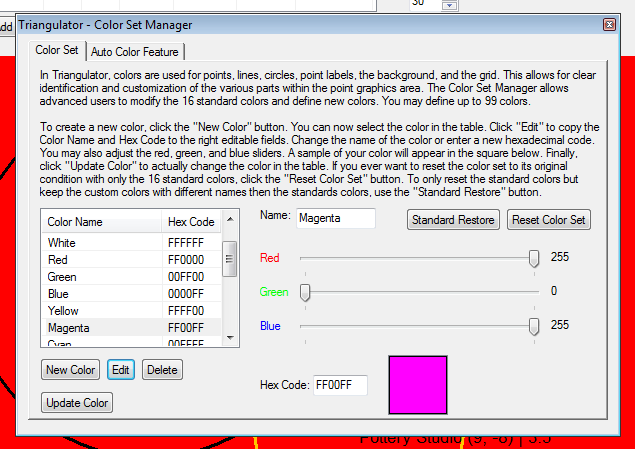
Colors displayed can be manually specified or set to be automatically chosen. The triangulator comes with 16 initial colors and allows the user to define his or her own colors that are available to the graphics display in the "Color Set Manager" (shown below).
|
Vector Ball
Recently, I wrote a simple JAVA applet called "Vector Ball". The applet has a blue ball in an enclosed space. The motion of the ball is manipulated with the computer mouse. The ball keeps track of it current position and velocity, and it is displayed on the screen accordingly. When the ball makes contact with any of the four edges of the enclosed space, it bounces and loses some velocity. Note that the idea of using the computer mouse to accelerate a virtual ball was not my idea, but all of the implementation algorithms are my own work and done independently. The interactive applet and directions for using it are below:
Directions
1. To accelerate the ball towards the mouse cursor, hold the left mouse button down, and move the the mouse as you wish.
2. Right click to accelerate the ball away from the mouse cursor.
3. Either hold down no mouse buttons or hold down both mouse buttons simultaneously to keep the ball's velocity unnaffected by the mouse.
4. Press the space bar while the applet is active to reset the ball back to the center of the applet with zero velocity.
Bellow is the Vector Ball applet:
|
Go Back to the Top of the Computer Programs Page.
|